
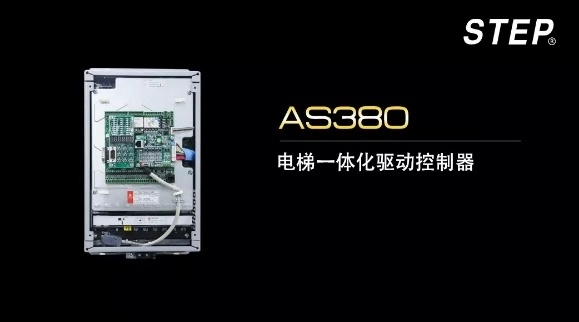
STEP Classroom | AS380 Elevator Integrated Drive Controller – Quick Debugging Guide
2018-10-19

Currently, there are over one million sets of STEP elevator control systems in operation on the market. The mobile app “Quick Debugging Guide” provides field installation and maintenance personnel with convenient access to timely reference information.

Handheld operator
Pre-debugging check
1. Refer to the instruction manual and the electrical schematic diagram to verify that all connections are correct.
2. Check whether there is any electrical connection between the high-voltage and low-voltage sections. Use the ohmmeter setting on a multimeter to verify that the resistance between different voltage circuits and the resistance to ground should both be ∞.
3. Close the main power switch. If the green light on phase sequence relay KAP is lit, it indicates that the phase sequence is correct. If the green light is not lit, turn off the main power, swap any two phases of the main power supply, and then re-energize the system.
Slow train debugging
1. The elevator traction machine, steel cables, car, counterweight frame, and other components have been properly installed, and there are no obstructions in the hoistway.
2. Connect the power supply cables, including the three-phase input lines R, S, and T, as well as the output lines U, V, and W.
3. Connect the brake power cable properly.
4. Connect the encoder cable from the traction machine to the AS.T024 PG card via a short jumper wire, completing the connection while the power is off.
5. Short-circuit the safety circuit and the door-lock circuit: 102-118, 118-116, 118-120, 118-119 (short-circuit when a rear door is present).
Short-circuit the up/down speed switch C0M-84 and COM-86.
6. Short-circuit the car roof inspection switch COM-78.
7. Apply AC 380V power to the control cabinet. Pay attention to the leftmost row of LEDs on the AS.T030 board—the STATE LED should flash rapidly, indicating that the system is functioning without any faults.
The SAFETY light, the HDL light for the front door lock, and the X31 light for the rear door lock—(when F53 is activated, the rear door lock must be monitored; check the monitoring menu—* indicates that the rear door lock is engaged)—the DL light for the main door lock is illuminated. Otherwise, verify that the jumper wires are connected correctly.
The indicator lights for the up and down deceleration switch input points X4 (L5) and X5 (L6) should be lit; otherwise, check whether the shorting wires of the speed-change switch are connected correctly.
8. Set and proofread the following parameters.
F6 – Rated speed of the elevator, set according to the elevator’s rated speed.
F11 - Elevator floor, set according to the actual number of plug-in boards on site.
F25 - Motherboard input (X0-15); factory default or modified according to the site conditions.
F26 - Motherboard input (X16-25); default value or modified according to the site conditions.
F27 – In-cabin input (GX0-15); factory default or modified according to site conditions.
F28 - Roof Input (HX0-15); factory setting or modified according to site conditions
F36 = 1: The brake hold switch is not monitored; 1: The brake hold switch is monitored. UCMP enable is forcibly set to 1.
F153=1: Does the door have high-pressure detection? 0 means no, 1 means yes; if there’s a door circuit detection or bypass function, it’s forcibly set to 1.
F156 - Is there a door lock relay? 0 = no, 1 = yes
F182 - Number of poles for the deceleration switch
F202 - Motor Type: 0 = Asynchronous, 1 = Synchronous
F203 - Motor Rated Power
F204 - Motor Rated Current
F205 - Rated Frequency of Motor
F206 - Rated Speed of the Motor
F207 - Motor Rated Voltage
F208 - Number of motor poles, 120 × frequency / speed;
The parameters for F202–F208 must be set according to the motor nameplate.
F210 - Encoder Type
0 is an incremental encoder.
1 is a sine-cosine encoder.
2 is an Endat absolute value encoder.
F211 - Number of encoder pulses, set according to encoder parameters
(Keep other parameters at their factory defaults; no changes are necessary.)
9. During the inspection and trial run, when the elevator is powered on for the first time, the brake will not open, and a few seconds of adjustment will occur. At this point, you’ll hear the motor emit a “buzzing” sound—this is the synchronous motor’s self-learning process. As long as you keep holding down the inspection up or down button, the elevator will rotate at the inspection speed, indicating that the adjustment is complete.
When operating the slow-speed vehicle, you can use the handheld operator to monitor the menu and check whether the current and running speed are normal.
If the maintenance running current is very high or fault codes 71 or 91 are reported, handle the situation as follows:
① Check whether the motherboard parameters F202-F211 are accurate.
② If the encoder is functioning correctly, the issue might be that the motor phase sequence is reversed; in this case, you’ll need to swap the connections of V and W.
③ Check whether the brake is open; if not, adjust it accordingly.
④ If the steel wire rope is not installed, the zero-speed PI value should be adjusted slightly downward.
⑤ For small-power integrated units with a power rating of 3.7 kW or less, the self-learning current may be too low and the phase angle inaccurate. After changing F245 to 6 and F247 to 280%, re-energize and run the unit again.
Attention: If the elevator is in door-lock bypass mode during maintenance operation, it is essential to monitor the door-closing position. Failure to detect proper door closure will trigger Communication Fault No. 8. Therefore, carefully check the switch position of the door-lock bypass device (or, in the advanced functions, redefine input X32 bypass as a backup and revert it back when operating at high speed; alternatively, connect the communication board and ensure that the door-limit signals are correctly configured).
If the elevator’s running direction is opposite to the given instruction, change F234 from 0 to 1.
Express train debugging
1. The elevator’s mechanical components have been properly installed, and the safety devices and door locks are all connected and functioning normally (short-circuiting is not permitted).
2. The door operator is functioning properly, the door-opening and closing actions are normal, the door-position detection signals are working correctly, and the wiring is connected properly.
3. The flat-floor and door-zone switches are installed correctly, function normally, and transmit signals accurately.
4. The forced speed-change switches at the top and bottom of the hoistway are properly installed and functioning normally.
5. Set and proofread the following parameters.
F166: Default = 1, New National Standard feature selection
Bit0, Front Door Circuit Detection
Bit1, Maintenance Operation Door-Close Position Detection
Bit2, backdoor circuit detection
F129:
Bit0: The early-door-opening function is enabled by setting it to “*” and disabled by setting it to “1”.
Bit1: To enable the “*” setting for door opening and leveling, set to “1”; to disable, set to “0”.
Bit2 must be set to “*”; do not detect the X13 early-door-opening relay, otherwise fault code 45 will be reported.
6. Monitor the handheld operator and, via the monitoring menu, keep track of the input status of each hoistway switch.
7. When the elevator is at an intermediate floor, the speed-change switches X4 (L5) and X5 (L6) must be illuminated; when the elevator is level with the landing, signals X6 (L7) and X7 (L8) must be activated.
During maintenance and upward travel, X7 (L8) should operate first, followed by X6 (L7). As the elevator approaches the upper terminal station, X4 (L5) will activate. During on-site installation, it must be ensured that once X4 activates, it remains in the activated state continuously until reaching the limit switch.
When performing maintenance and descending, X6 (L7) should operate first, followed by X7 (L8). As the elevator approaches the lower terminal station, X5 (L6) will activate. During on-site installation, it must be ensured that once X5 activates, it remains in the activated state continuously until reaching the limit switch.
8. Monitor the handheld operator; via the monitoring menu, check the door machine’s position input status. The door machine’s limit switch is a normally closed contact.
After the door is fully closed: HX0 and HX1 must be “*” and “-”, respectively.
After the door is fully closed: HX0 and HX1 must be “-” and “*”, respectively.
9. At any elevator position, enter the shaft self-learning menu, confirm the selection, and then switch to normal mode. The elevator will automatically return to the lowest floor and level off. It will then automatically measure the floor heights at the self-learning speed specific to the shaft. Once it reaches the top floor, it will automatically stop running, indicating that the self-learning process is complete. If no faults are reported, it means the self-learning was successful.
10. When the express train enters the door zone, the K10 and K11 contacts on the SM11-A door-opening board must be energized in advance. On the mainboard, the X14 light (L15 light) should be off. When the train exits the door zone, the light should be on; otherwise, a fault code 45 will be reported.
Set the X32 point to the door bypass function. In automatic mode, the X32 pass-through setting should be configured as a normally closed contact. An incorrect configuration will trigger fault code 54.

Contact Us
Email:
market@stepelectric.com
Address:
No. 1560, Siyi Road, Jiading District, Shanghai Municipality