
STEP Elevator Control System Mini-Class (1): System Debugging Interface
2023-09-01

The elevator control system is the core of an elevator, determining its operational quality and efficiency. With 28 years of deep expertise in the elevator industry, STEP has consistently driven elevator control system product development with “user value” at its heart, striving to perfect every intricate control algorithm, drive mechanism, and user experience—always aiming for excellence and continuous refinement.
Starting from this issue, we will from... Debugging, interfaces, functional testing, etc. We’ll introduce the STEPeng elevator control system in several dimensions, step by step. We welcome everyone to watch, learn, and engage in discussions.
Today, let’s first take a look at the debugging interface of the STEP elevator control system!
The debugging of the operation interface has consistently been a key focus in the development of STEP elevator control systems. After numerous iterations, the design of icons, language display, and function keys has reached a near-perfect level of interactive performance, effectively aligning with users’ cognitive habits. Currently, There are two types of debugging tools: handheld operator and onboard operator.
1. Handheld Operator SM.08/G: Portable, easy to use, and highly compatible.
Handheld operators, thanks to their user-friendly displays and convenient debugging features, have gained widespread adoption. The STEP handheld operator model is SM.08/G. It boasts a sleek, sophisticated appearance, is reliable and durable, and is compatible with all STEP product platforms, including 380, C7000, and G9000. In addition to these features, it also offers the following characteristics:
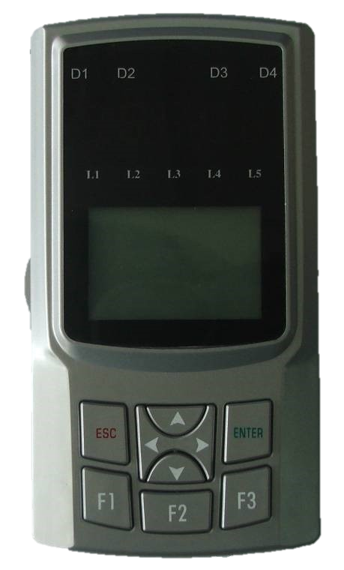
SM.08/G Handheld Operator
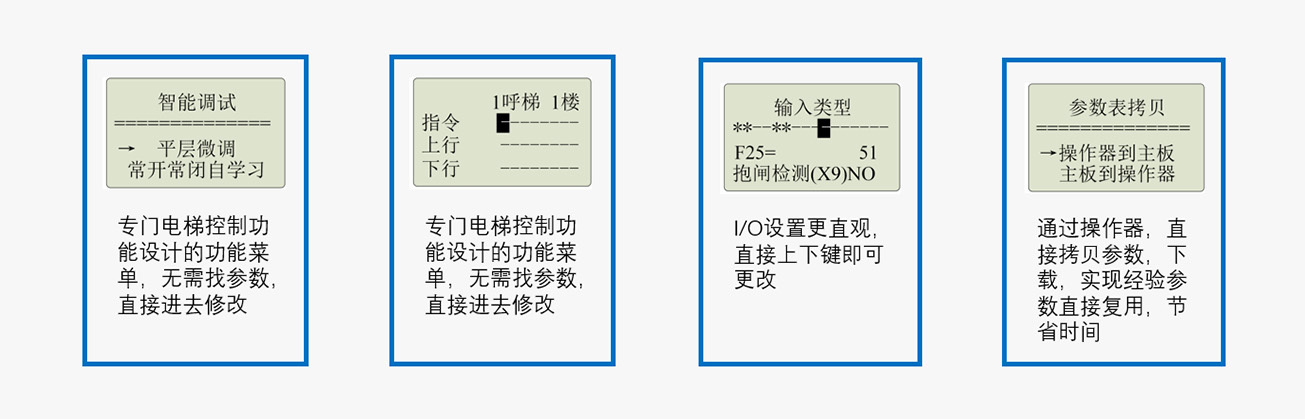
The fault display provides comprehensive information, including fault codes, sub-codes, status, floor number, direction, hoistway location, encoder data, commanded speed, and feedback speed, helping to quickly pinpoint the cause of the fault.
II. Onboard Operator: The Smart “Sprite” on the Motherboard
STEP has also reserved an onboard operator on the mainboard to facilitate basic operations on-site, such as status monitoring, fault diagnosis, parameter setting, and testing functions. Taking the C7000 platform as an example, it features the following specific characteristics:

C7000 Tablet-Mounted Operator
1. The system’s operating status is displayed via the LED lights on the left side of the seven-segment display, allowing you to quickly grasp the system’s current state:
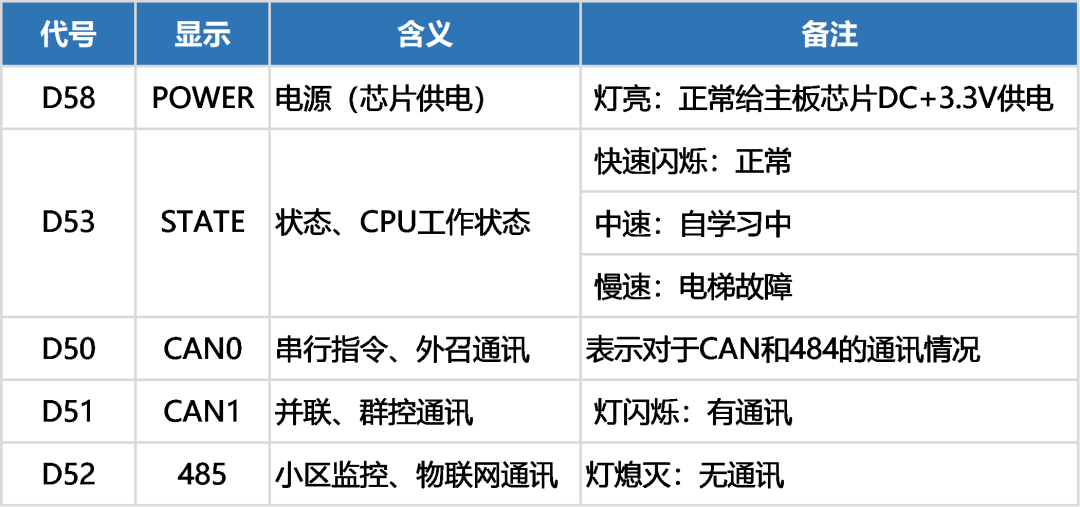
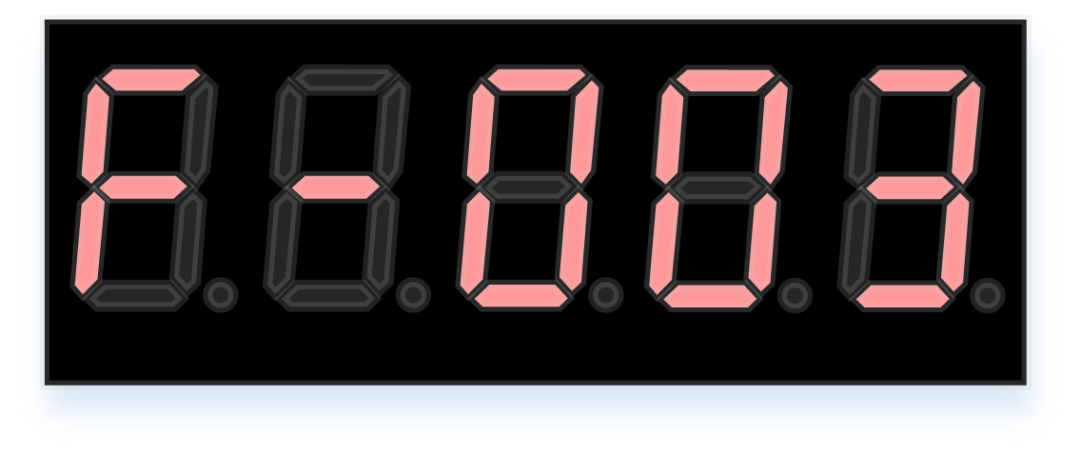
2. Complete multiple basic parameter and critical function tests:
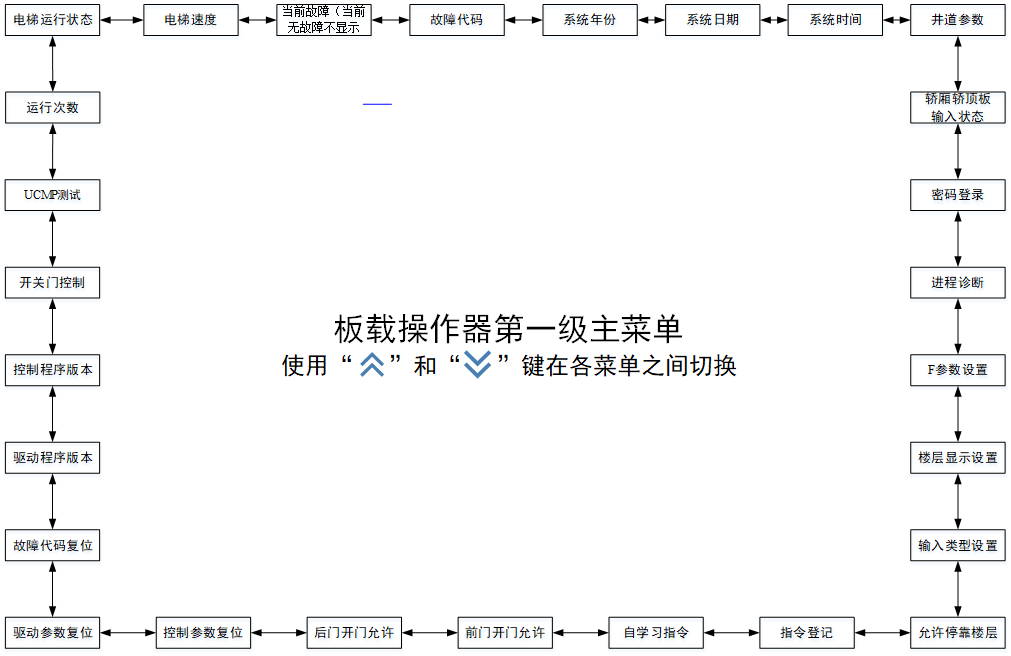
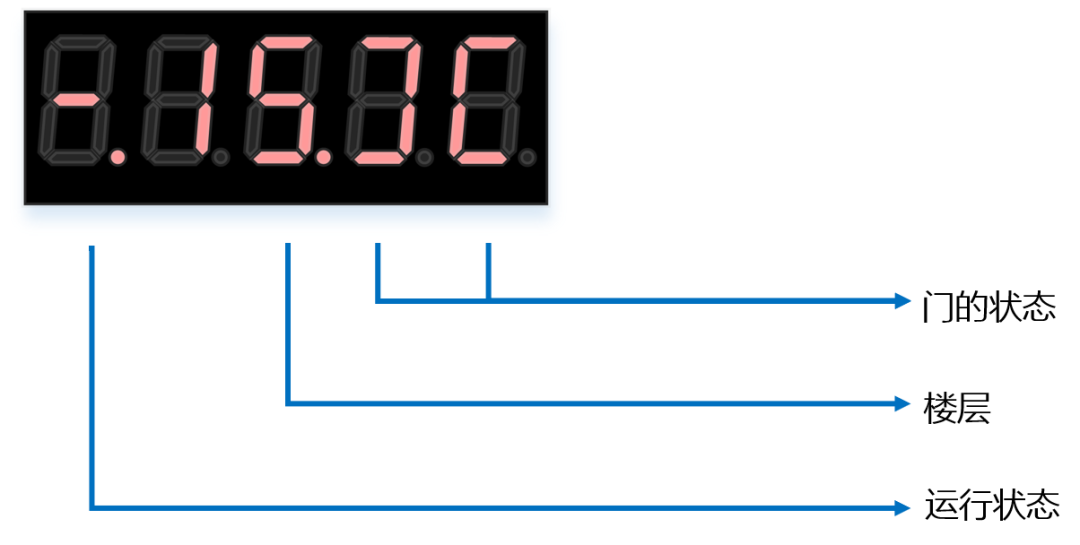
3. Display the elevator’s basic status, including: operating status, current floor, and door status.
4. Parameter Settings:
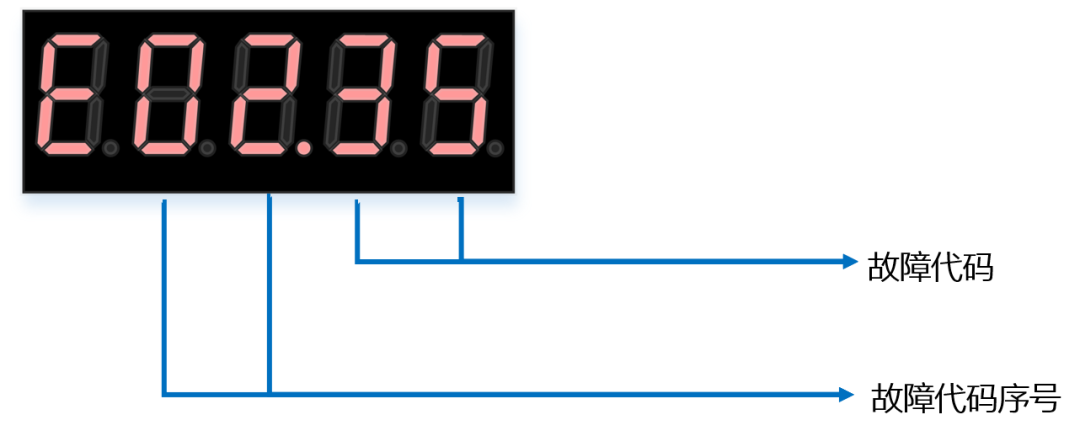
5. Fault Code:
Introduction to the Five Major Operation Upgrades
To continuously meet user needs and simplify the operation and commissioning of control systems—thereby enhancing on-site convenience and improving installation and construction efficiency—the new Shishida elevator commissioning interface features a number of practical little tips. Hurry up and get them now!
1. After power-on, the main interface is displayed directly, requiring neither buttons nor a login password.

2. Reduce the number of parameter levels by following this sequence: Power-on → Main interface → ENTER → Level-1 menu ENTER → Level-2 menu → Settings; retain only the Level-3 menu to minimize the number of operational steps.
3. Set the shortcut key F2 to directly enter the idle-speed adjustment interface, where all idle-speed adjustment parameters—approximately 11 in total—are summarized, allowing you to complete the idle-speed parameter adjustment directly.
4. Set the shortcut key F3 to directly access the parameter summary interface and then proceed directly to the all-parameter interface, thereby reducing the number of operational steps.
5. Reduce the display of function menus by 50%, making them accessible only through maintenance and debugging permissions, thereby minimizing interference to users caused by excessive functional parameters.

Contact Us
Email:
market@stepelectric.com
Address:
No. 1560, Siyi Road, Jiading District, Shanghai Municipality